
If you are new to home automation services, the hardest part is not the technology. It is deciding what to set up first so you get the most out of your home without ending up with a phone full of apps that do not talk to each other. The good news: you do not have to build everything at once. We design and install a complete Amazon Alexa smart home, and a few well chosen pieces give you most of the daily benefit right away, with room to grow. This guide walks through what is actually worth automating first, what gives the best payoff for the least cost, and how we plan an Alexa build across Coral Springs, Boca Raton, Parkland, and the rest of South Florida.
Start With One Room, Not the Whole House
The biggest reason people get frustrated with smart home tech is trying to do everything in a single weekend. A smarter path is to start with one room you use the most, usually the living room or the primary bedroom, and get it working well. Once that room feels reliable and easy for everyone in the house to use, we extend the same Alexa setup into the next room. This keeps costs manageable, lets you live with the system on a small scale, and means the plan grows at your pace.
Phasing the work this way also makes home automation installation cleaner. We confirm your Wi-Fi reaches the room, set the devices up on Alexa, and make sure everything responds the way you expect before we expand to the rest of the house.
The Priority List: What to Automate First
Here is the order we usually recommend for a first Alexa setup. Each step builds on the one before it.
In practice the answer is nearly always lighting, and smart lighting installation is the service most of our projects open with.
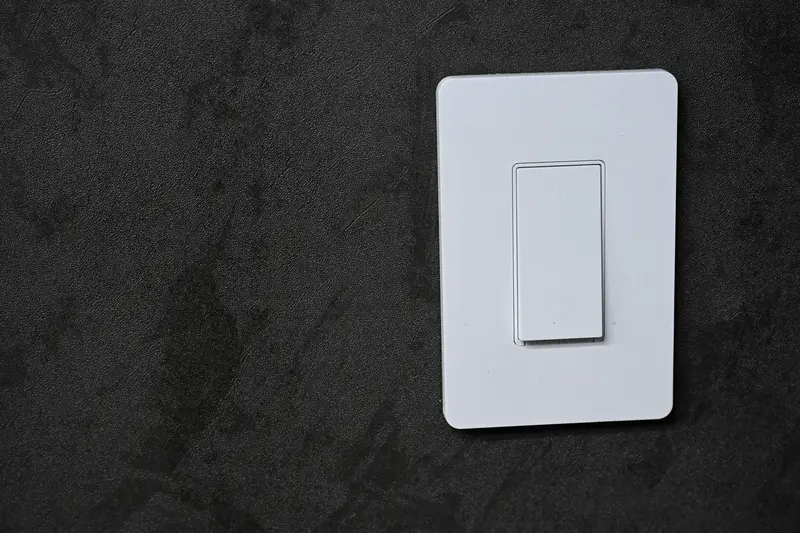
- Smart lighting. This is the best place to begin. Smart switches and dimmers are easy to live with, and you notice the difference every single day. Lights that turn on at sunset or off when you leave a room pay you back in convenience and in lower electric bills.
- A smart thermostat. In South Florida, cooling is your biggest energy cost. A thermostat that eases back when you are asleep or away lowers your bill without you thinking about it, and you can adjust it with a quick word to Alexa or from your phone.
- An Amazon Echo or Echo Show. This is the hub of the whole system. An Echo Show in the kitchen and an Echo Dot or two around the house tie your lights and thermostat together, so anyone can control the home by voice without learning an app.
- A few Alexa Routines. Once the basics are in, we set up two or three routines. A "Good Morning" routine that raises the lights and reads the weather, a "Leaving" routine that turns everything off, and a "Movie" routine that dims the room. These small touches are what make a house feel automated.
Notice what is not on this early list: cameras, locks, blinds, and whole-home audio. They are great additions, and they all work with Alexa, but they cost more and are easier to add once your foundation is solid.
Best Payoff for the Least Cost
If your budget is tight, lighting and a thermostat give you the most return for the smallest spend. Lighting changes how the home feels and runs every day, and the thermostat quietly saves money on cooling. Adding an Echo to control both is inexpensive and makes the whole system easier to use. You can have a genuinely useful Alexa smart home for a modest amount before deciding whether to go further with cameras or entertainment.
If you want a clear picture of how the pieces fit together and what each tier costs, get your free room-by-room smart-home concept for a starting point you can adjust.
One System, One App, One Voice
The single most common complaint we hear from people who bought gear piece by piece is that every device came with its own app, and nobody in the house remembers which one does what. That is exactly the mess we are built to prevent.
We design your home around Amazon Alexa from the start, so every light, thermostat, and routine answers to the same app and the same voice. There is no juggling platforms and no guessing whether two products will cooperate. You get one system that works together, which is why everyone in the house actually uses it. Standardizing on Alexa up front is the decision that saves you the most headaches later, and it is the foundation of every build we do.
Who Does the Installation
Some homeowners screw in a bulb and call it a day. The point where professional installation matters is wiring, in-wall switches, thermostats tied to your HVAC, and getting every room to behave as one Alexa system. Doing that work correctly the first time protects your equipment and your home. Infinity configures eligible devices, apps, and Alexa routines. Mounting and any regulated work require a separate contractor that you select and hire directly. You can learn more about smart home installation in Deerfield Beach and what a typical project looks like.
How Infinity Smart Living Helps
We do not hand you a pile of gadgets and walk away. Infinity Smart Living offers a free consultation where we look at your home, your habits, and your budget, then map out a complete Amazon Alexa smart home and a sensible order to build it in. When you are ready, any regulated work requires a separate contractor that you select and hire directly. The plan is yours to keep either way.
Ready to figure out what to automate first in your home? Book a free smart home consultation with Infinity Smart Living and we will help you build a simple Alexa plan that fits your budget and grows with you.
Get a free room-by-room smart-home concept
Tell us your goals and receive an illustrative technology concept with candidate products and Alexa routine ideas. No purchase is required, and the concept is yours to keep.
Request my free smart-home concept Call (754) 345-4871Prefer to start on your own? Get the free Alexa Room and Routine Starter Guide.